Your answers live in too many places. Events and invoices are in Total Party Planner. Deals are in HubSpot. Texts, calls and emails are on phones and in inboxes. Proposals are in PandaDoc. Finding one answer means opening five tabs.
The Catering Command Center is an AI assistant and data portal for catering companies, built on top of Total Party Planner, HubSpot and the tools they already use. You ask a question in plain English, and it answers from your real data. It also shows you what is slipping: leads nobody answered, proposals with mistakes, events that changed.
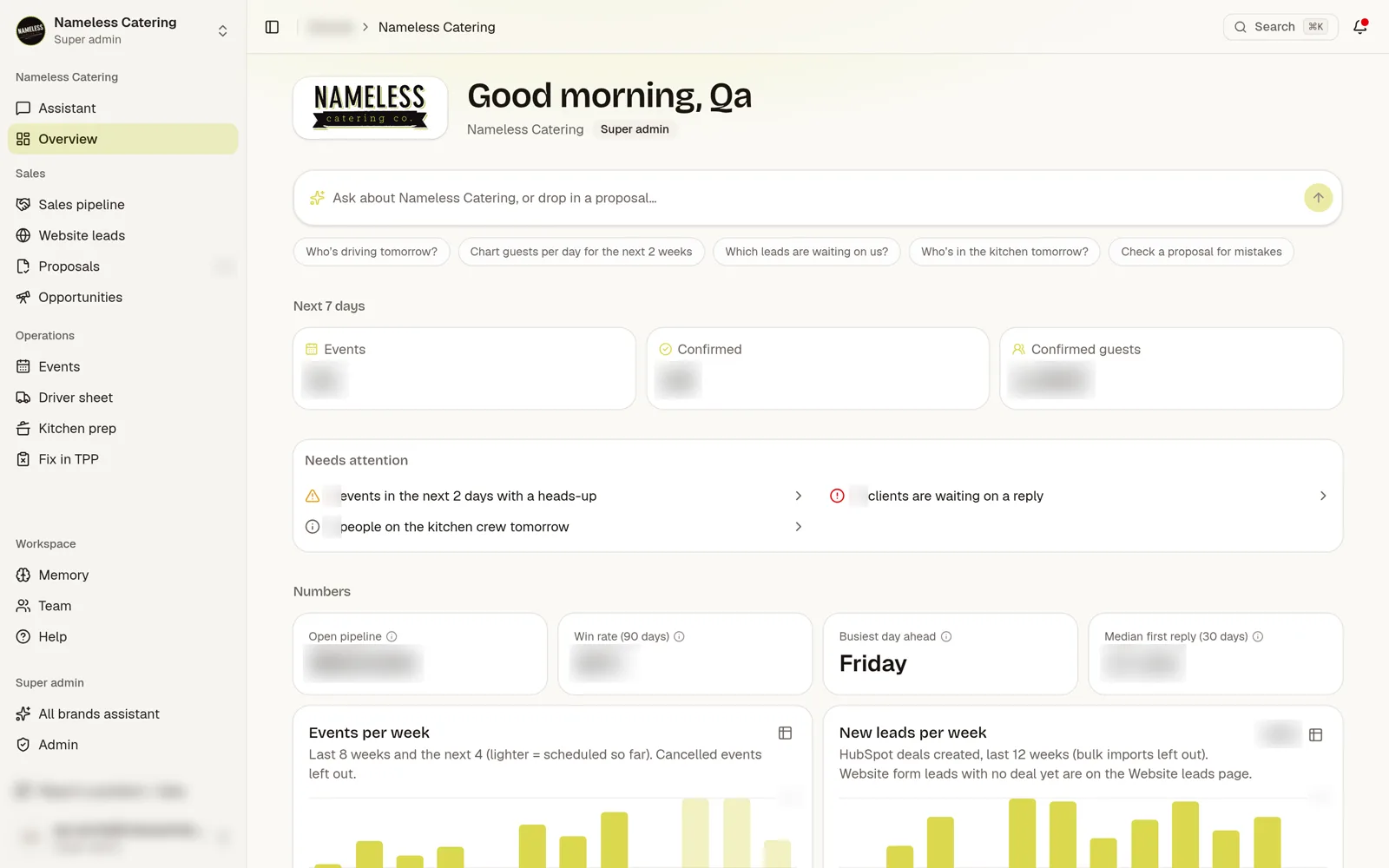
Ask it anything, in plain English
One assistant reads across Total Party Planner, HubSpot, your business texts and calls, Gmail, PandaDoc, your website forms and When I Work. Each person only sees their own brand’s data.
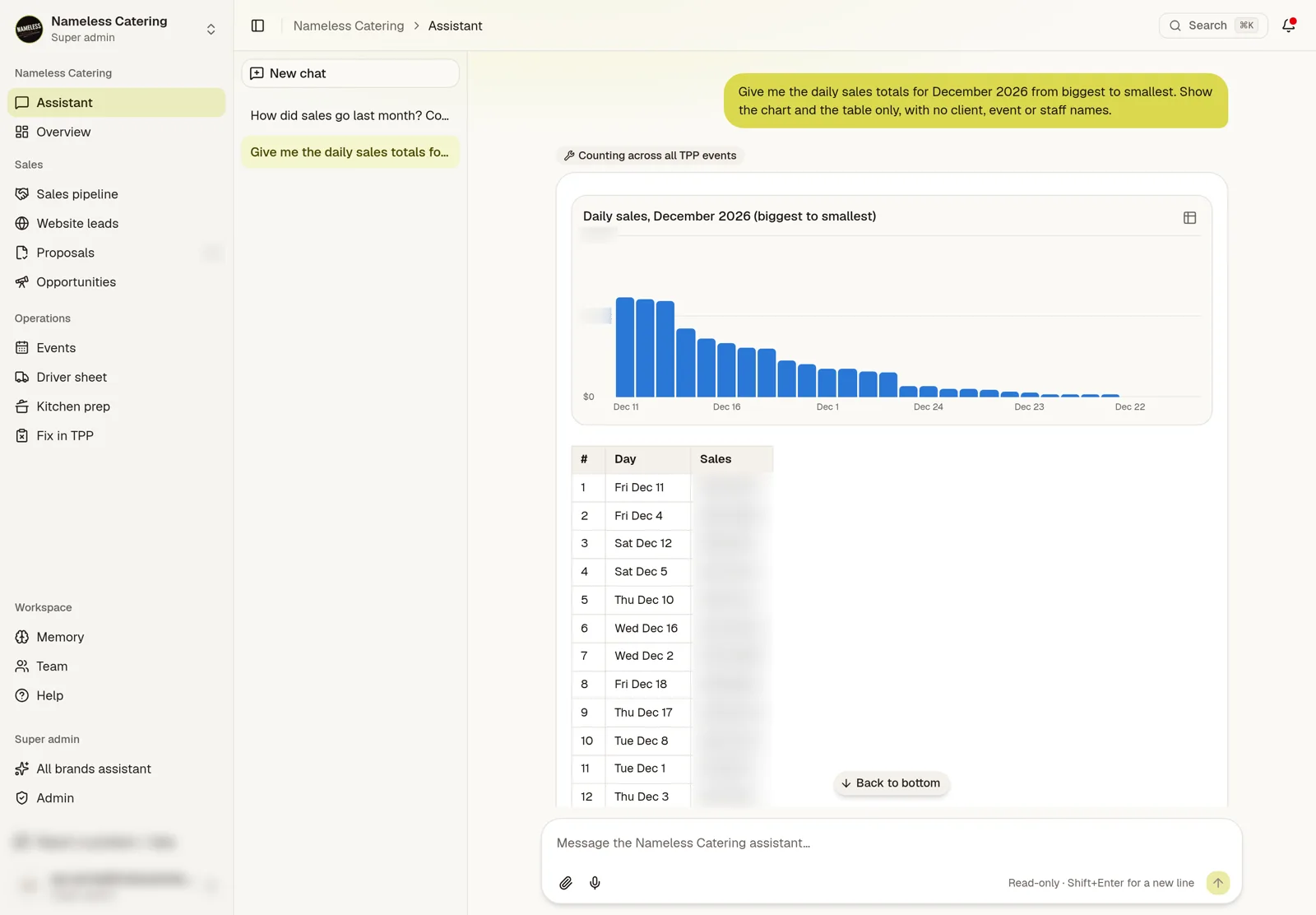
Ask it for “the daily sales totals for December, biggest to smallest.” It answers in about 13 seconds, with a chart and a table that match Total Party Planner to the cent. Digging numbers like that out of Total Party Planner or HubSpot by hand used to take the team anywhere from 30 minutes to a few hours. Here’s how teams usually get data out of Total Party Planner today.
How the assistant works
- Ask a question. Type it the way you’d ask a person.
- Watch it work. It picks the right sources and shows each step as it goes, like “Searched HubSpot” or “Counting across all TPP events.” You can leave the page; the answer keeps running.
- Get the answer. Tables and charts, with the source of every number named underneath. When two systems count things differently, it tells you why instead of hiding it.
It works from a copy of Total Party Planner that refreshes every five minutes, plus live lookups when you need them.
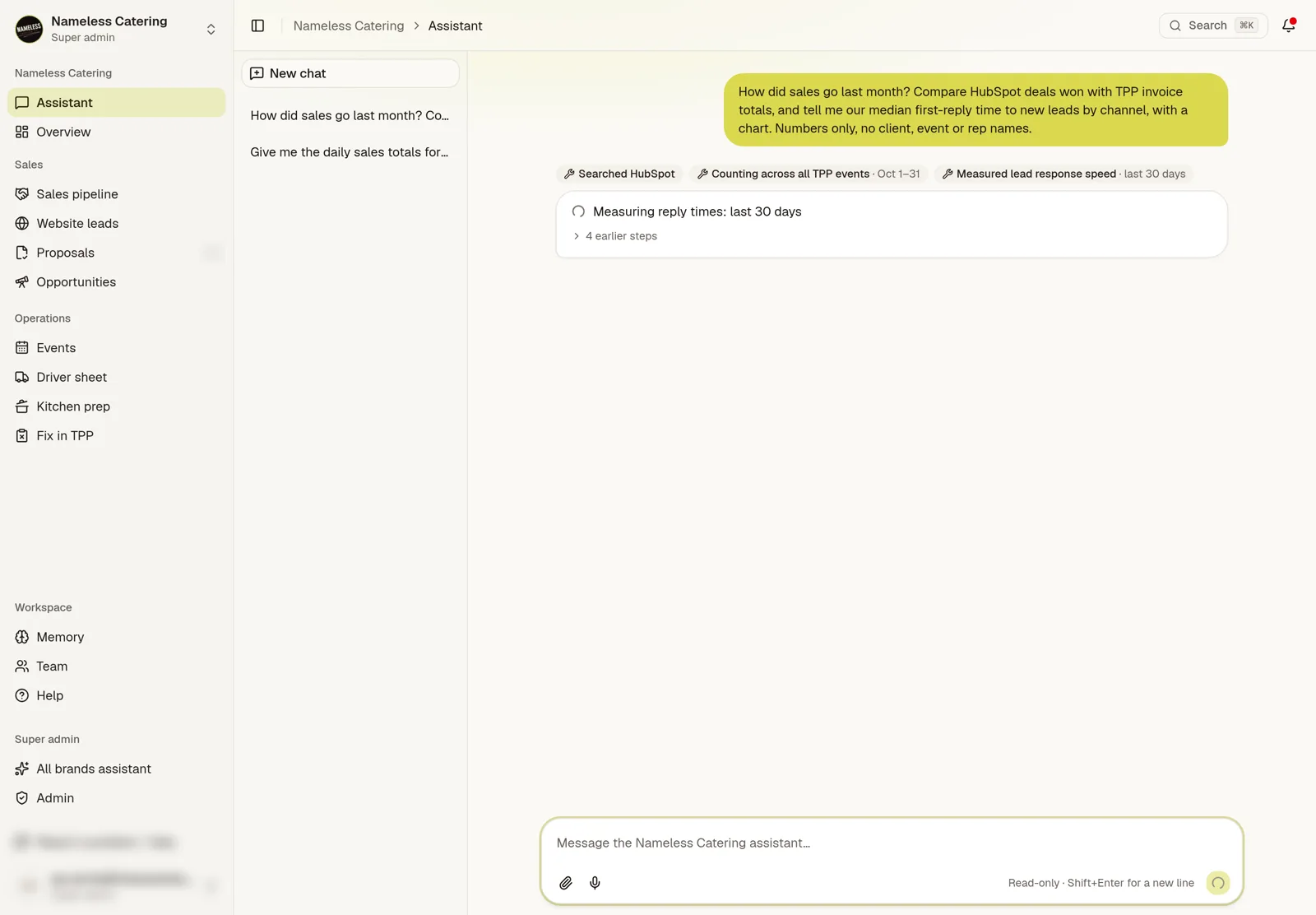
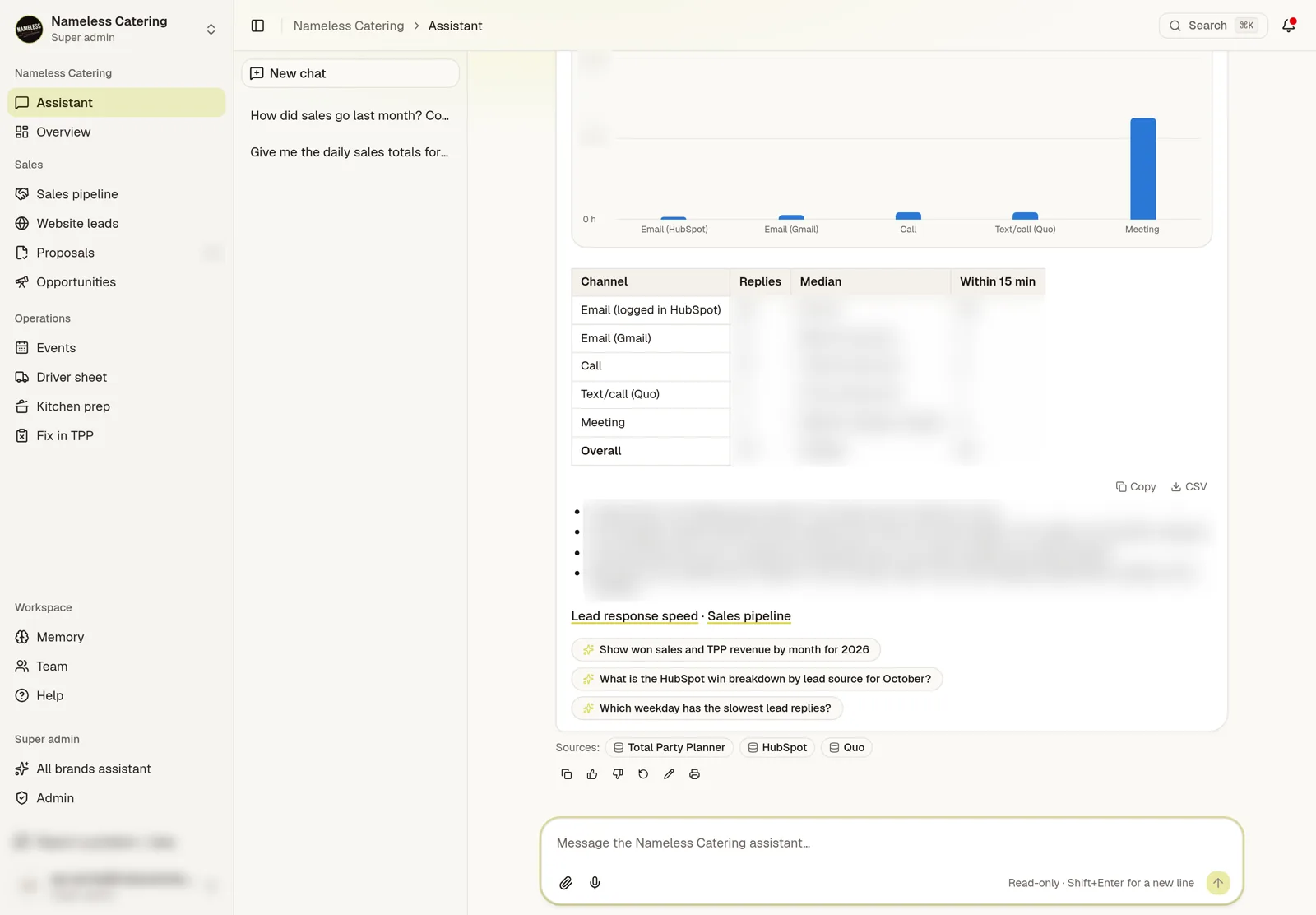
Questions can be simple or span several systems. Ask “How did sales go last month? Compare HubSpot deals won with Total Party Planner invoice totals, and tell me our median first-reply time to new leads by channel.” It puts deals won next to invoiced totals, explains why they differ, flags a bulk import that inflated the HubSpot count, and breaks reply time down by channel with a chart.
Only chase the leads that are real
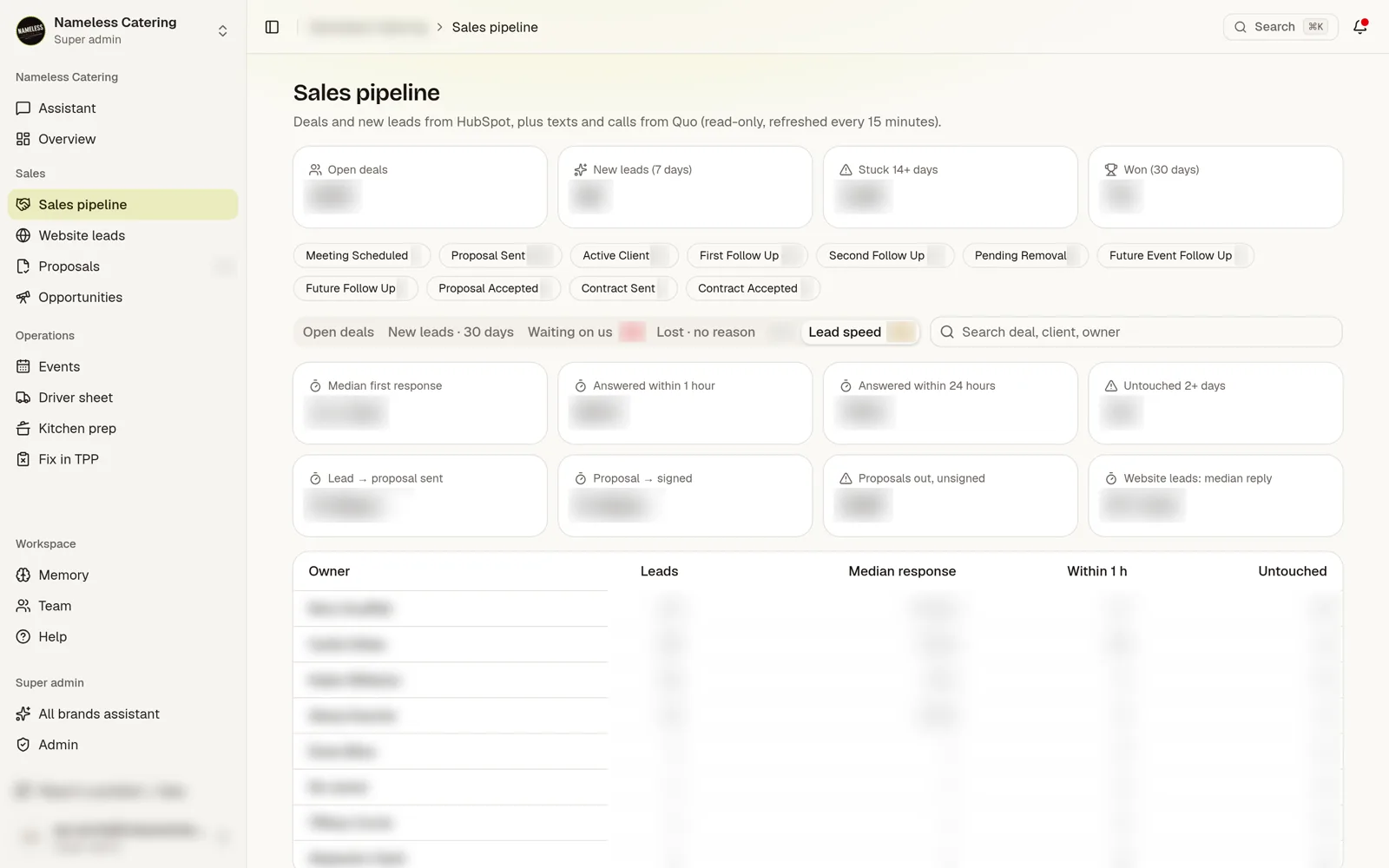
For one team, 19 of 26 website leads that looked like they were waiting for a reply had already booked in Total Party Planner. The portal now matches bookings on its own, so the team only follows up with real leads.
- Waiting on us: calls, texts and website forms nobody has answered yet, oldest first.
- Website leads, including people who started a quote form and didn’t finish it.
- Response speed: how fast new leads get a first reply, by rep and by channel.
Proposals checked before they go out
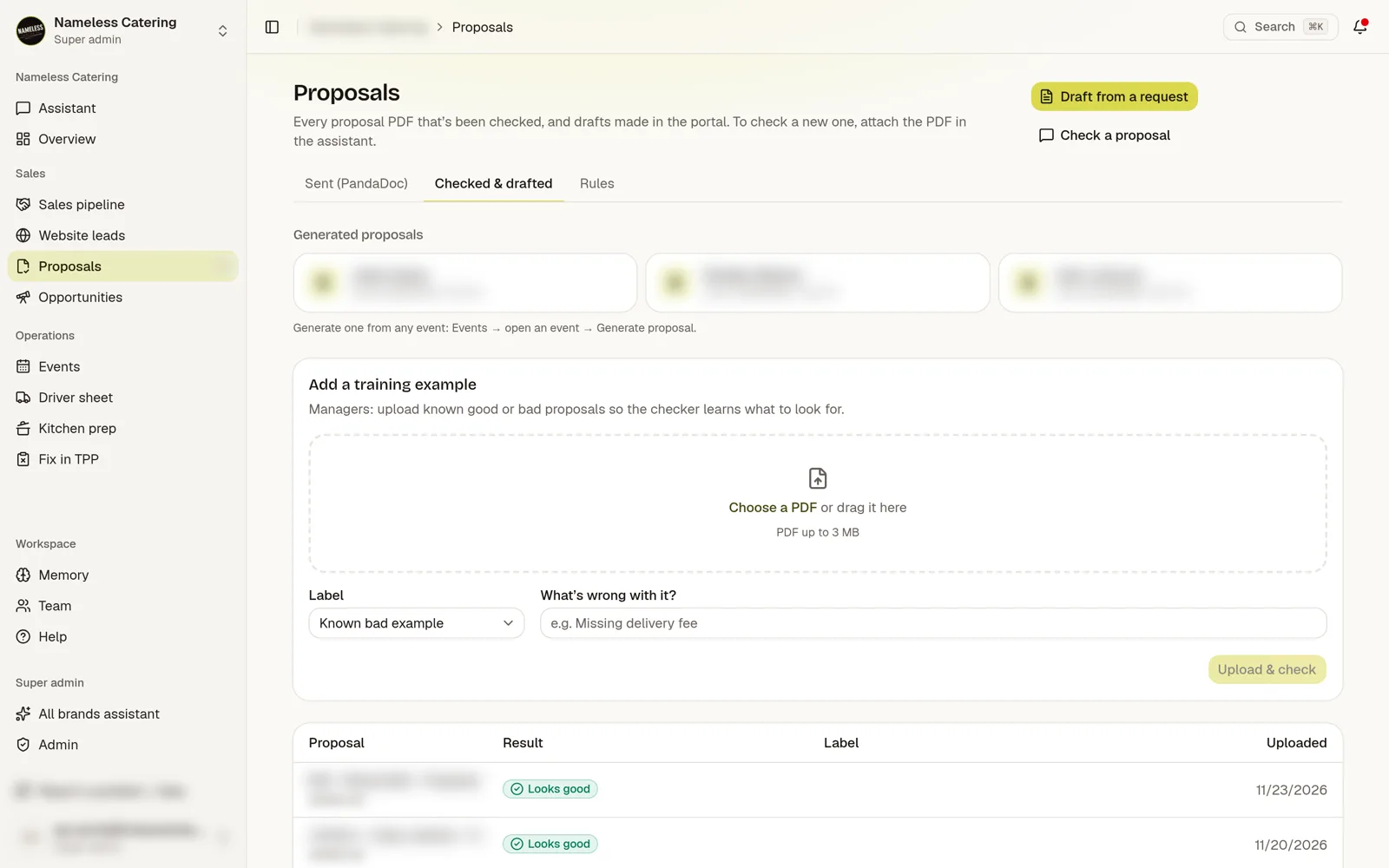
Drop in a proposal and it checks the details people miss: a fee that doesn’t match its percentage, a missing delivery line, an event date that’s off. It reads Total Party Planner and PandaDoc PDFs, and warns you when a PDF isn’t the current version.
Every client in one timeline
Open a client and see their whole history in one place: events, deals, texts, calls, emails, website forms and proposals. No more digging through four systems before you call someone back.
Event days, covered
- A driver sheet tied to When I Work scheduling.
- Slack alerts when a menu, guest count, date or status changes.
- Kitchen prep quantities.
- Heads-up checks before each event, like a missing driver.
All your brands in one place
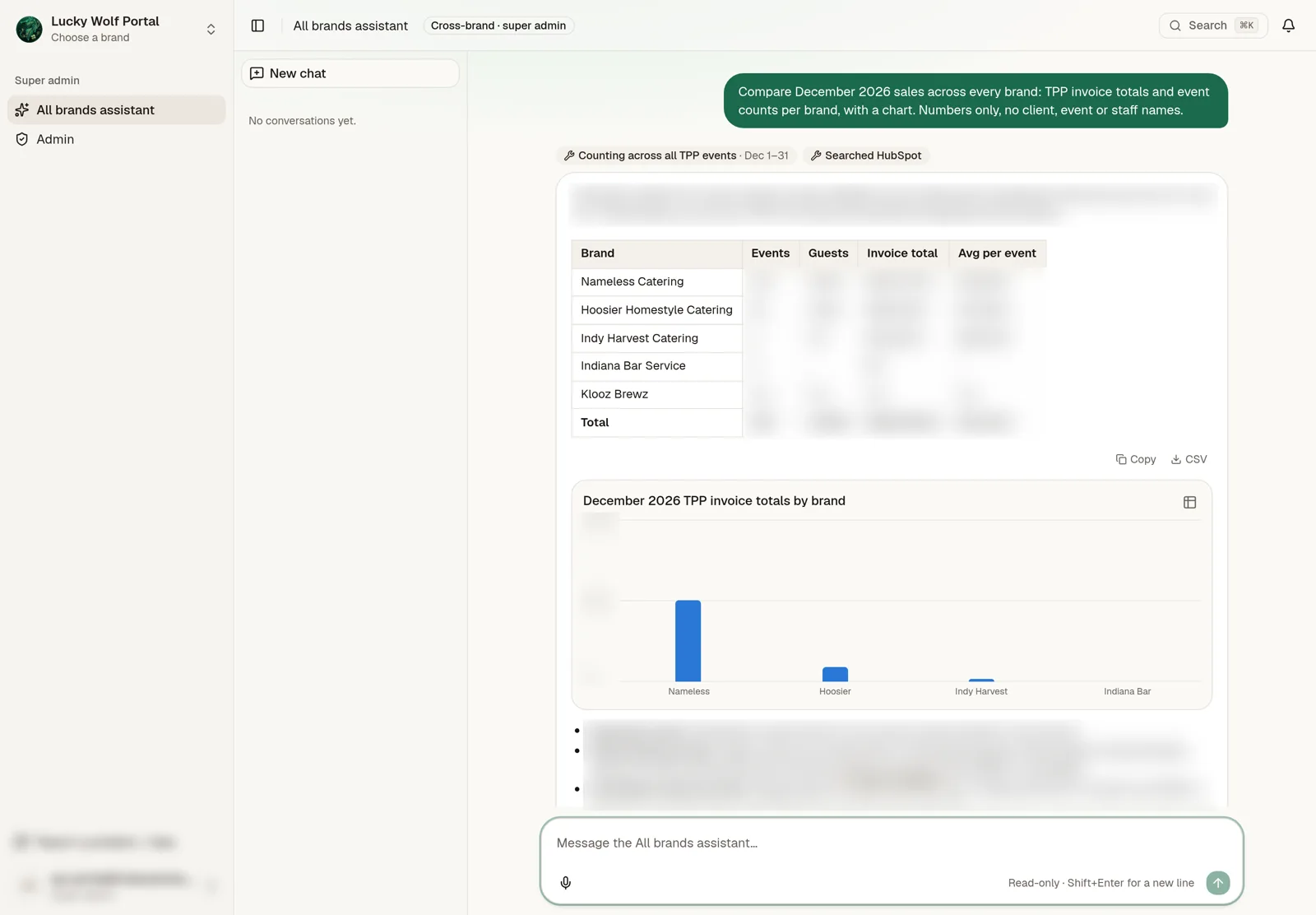
Run more than one brand? One portal covers them all, and owners get an all-brands assistant: “compare December across every brand.” It’s running today across the five brands in one hospitality group. See the build →
Safe by design
It has read-only access to Total Party Planner, HubSpot, your texts and calls, Gmail and PandaDoc. It can’t change or send anything in them. It reads and answers. Your team still makes the calls.
Works with the tools you already use
Total Party Planner, HubSpot, Quo, Gmail, PandaDoc, your website forms and When I Work. Nothing to replace. More on connecting catering systems →
ZTAT is independent and isn’t affiliated with or endorsed by any of these vendors.
Common questions
Does it change anything in my systems?
No. It can read Total Party Planner, HubSpot, your texts and calls, Gmail and PandaDoc, but it can’t change or send anything in them. It answers; your team decides what to do.
Do I have to replace Total Party Planner or HubSpot?
No. It sits on top of the tools you already use and reads from them. Nothing gets moved or replaced.
Who can see what?
Each person only sees their own brand’s data. Owners of more than one brand get an all-brands assistant on top.
Not a caterer?
If you run a service business on a CRM, phones and email, it can be built for you too. Book a 30-minute call →